

Spinning® BIO™ Computer Wireless
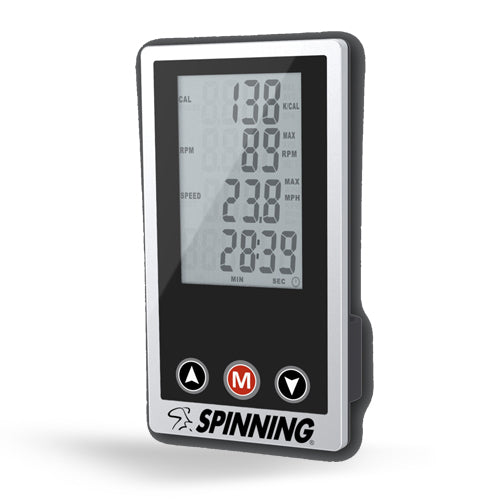
Add the Spinning® BIO™ Wireless Computer fitness tracker to your workout and start getting better results even faster.
The Spinning® BIO™ Wireless Computer provides metric measurements and valuable feedback to make your Spinning® training a success at home or wherever you choose to ride. The easy-to-read, wireless monitor on our Spinning® BIO™ Wireless Computer will continuously display the following:
- Cadence
- Speed/Distance*
- Time
- Calories
*User can toggle between both
This unique design contains exclusive features:
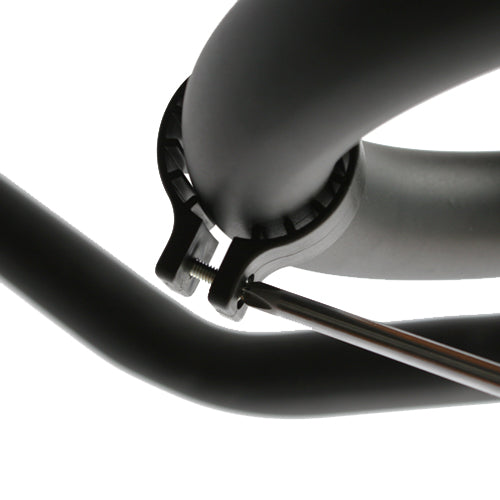
- Easy Installation: The adapter fits all Spinner® Active and Performance Series bikes, and Lifestyle Series bikes purchased before August 2020
- Countdown Timer: Can be set for distance or time
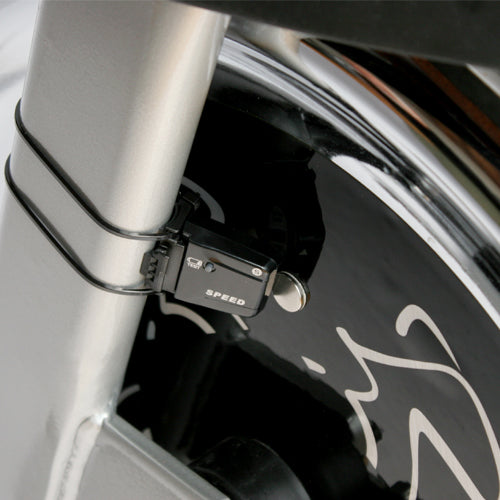
- Wireless Cadence Sensor: For accurate tracking of revolutions per minute
- Batteries Included: For all components
- Automatic Start/Stop: The monitor automatically starts when exercise begins and turns off 4 minutes after exercise stops
- Warranty: One-year limited warranty for home use only
The Spinning® BIO™ Wireless Computer is designed for use with Active Series and Performance Series home bikes. For Lifestyle bikes purchased after August 2020, the Spinning® BIO™ Wireless Computer cannot be assembled in the center of the handlebar due to the integrated tablet mount. You can still mount it by using a heavy-duty Velcro sticky pad (not included) and placing it in the center of the handlebar. As the console is very lightweight, we recommend ensuring the positioning is correct for your ride before final application.
Please Note:
*Other mobile devices can cause interference with the signal of the BIO™ Computer.
Pro Tips for Set-up
- Make sure the flywheel has a magnet
- Make sure the sensor is within 2–3 cm of the magnet
- Remove the computer from the handlebar
- Bring the computer as close to the sensor as possible
- Spin the flywheel
- Check for the computer to pick up the RPMs
- Wait 30 seconds, then slowly bring the computer back toward the handlebar mounting position